Taskavyn is the complete source of a native day planner. Tasks are captured in one line, placed on a time ruler that flags overlaps and work that ran past, measured against a daily focus capacity, and finished in focus sessions that keep time from timestamps — even after the app is closed.
iOS Simulator · iPhone 17Android Emulator · API 36
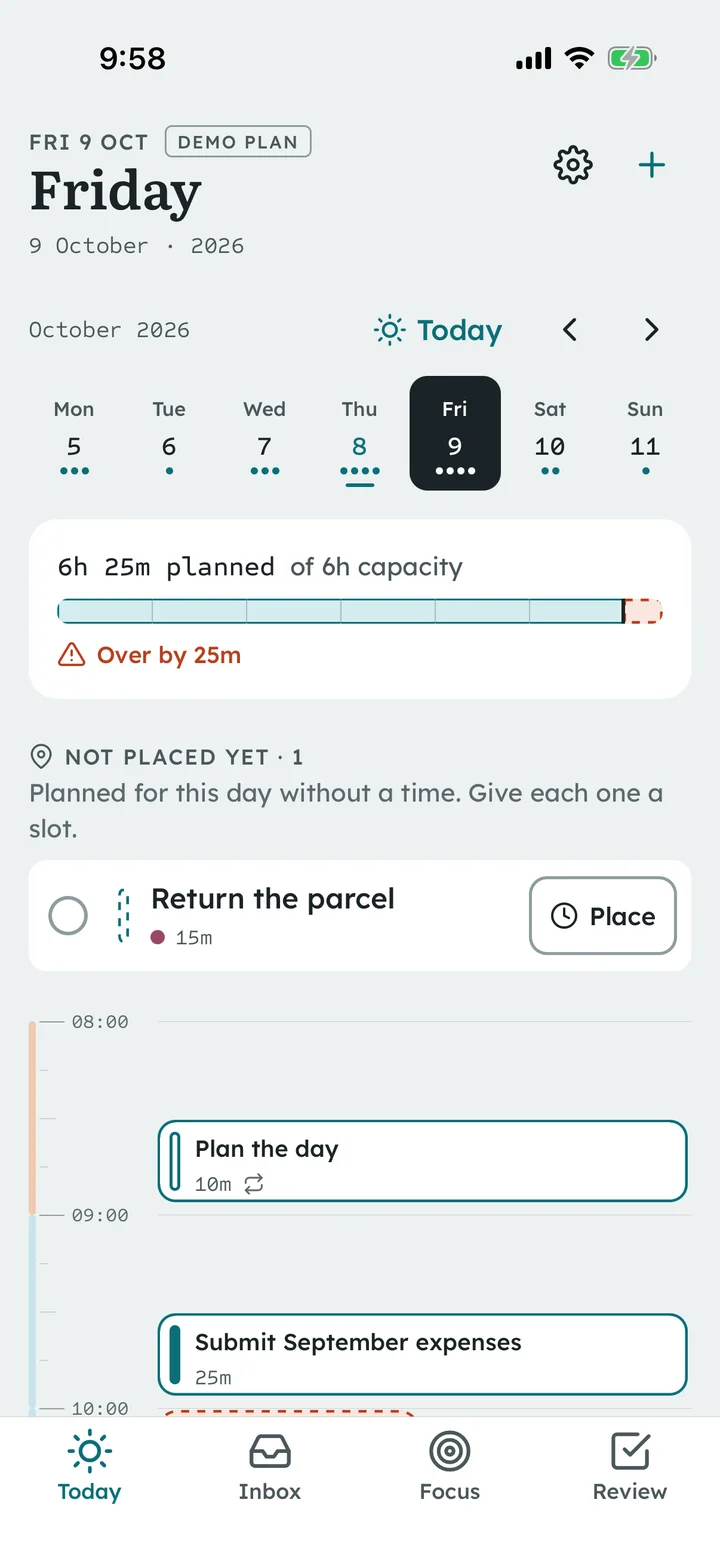
Every screen on this page is a screenshot of the release build of this source, running on the iOS Simulator and the Android Emulator with the included fictional demo plan. This page is a showcase; it is not the app and does not run it.
Three core journeys
From intention to a finished day
01 Capture and prioritize
One line in, a structured task out
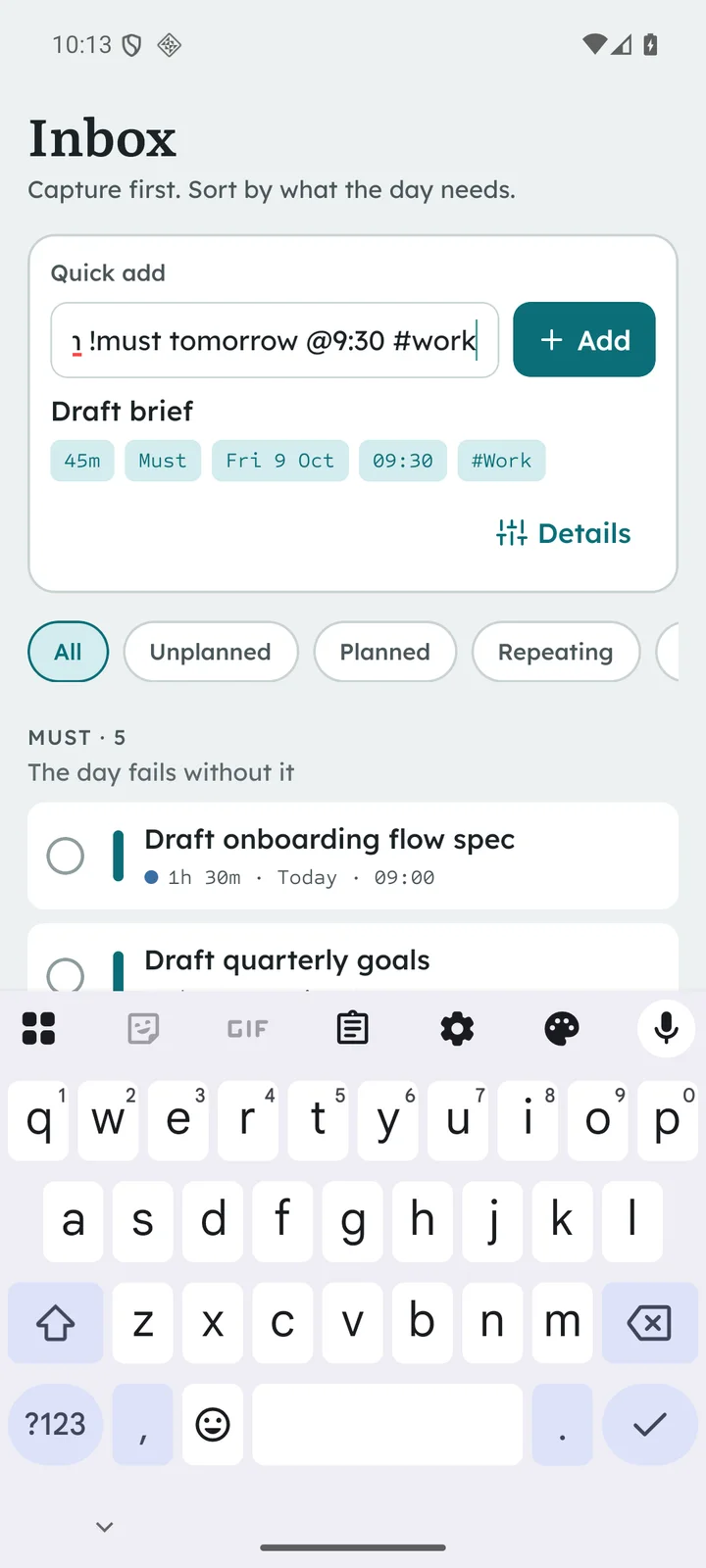
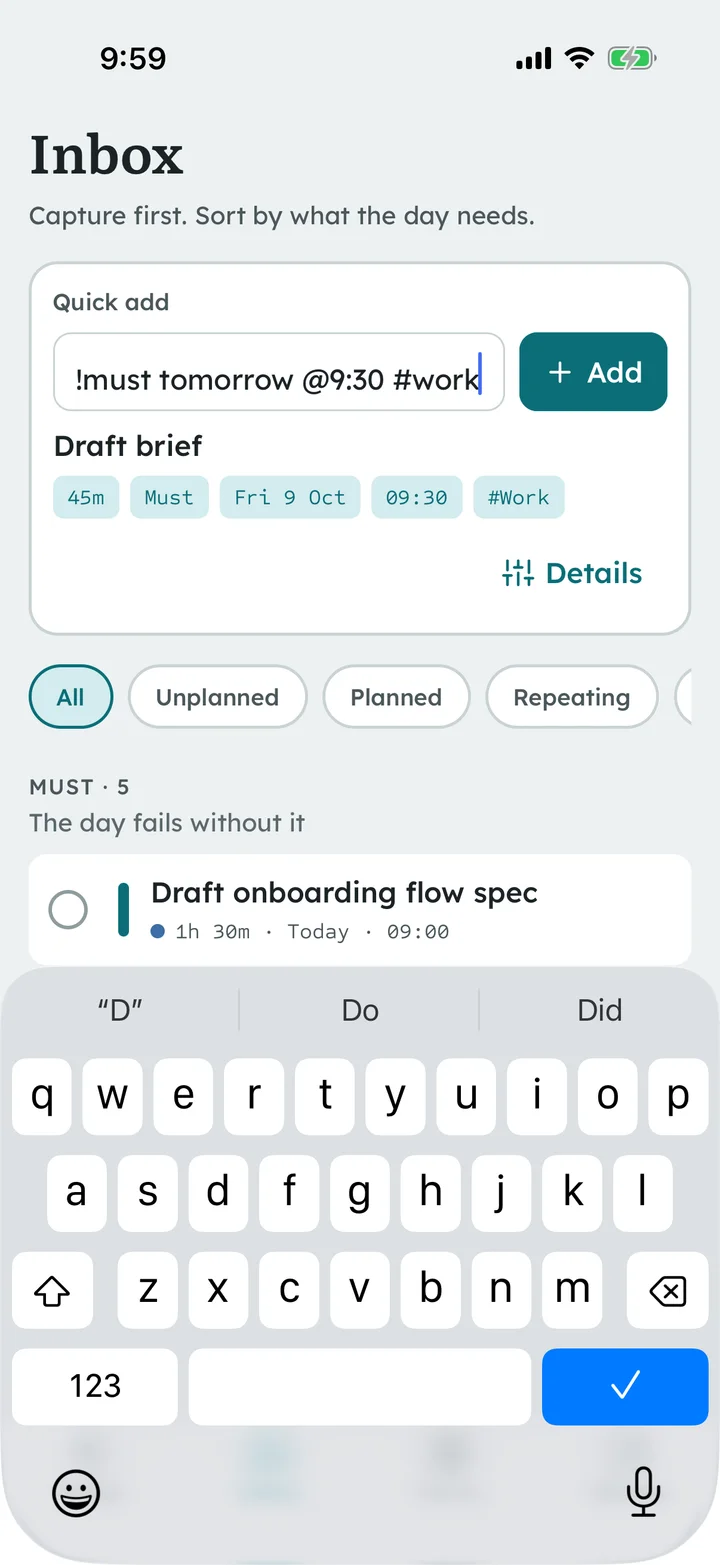
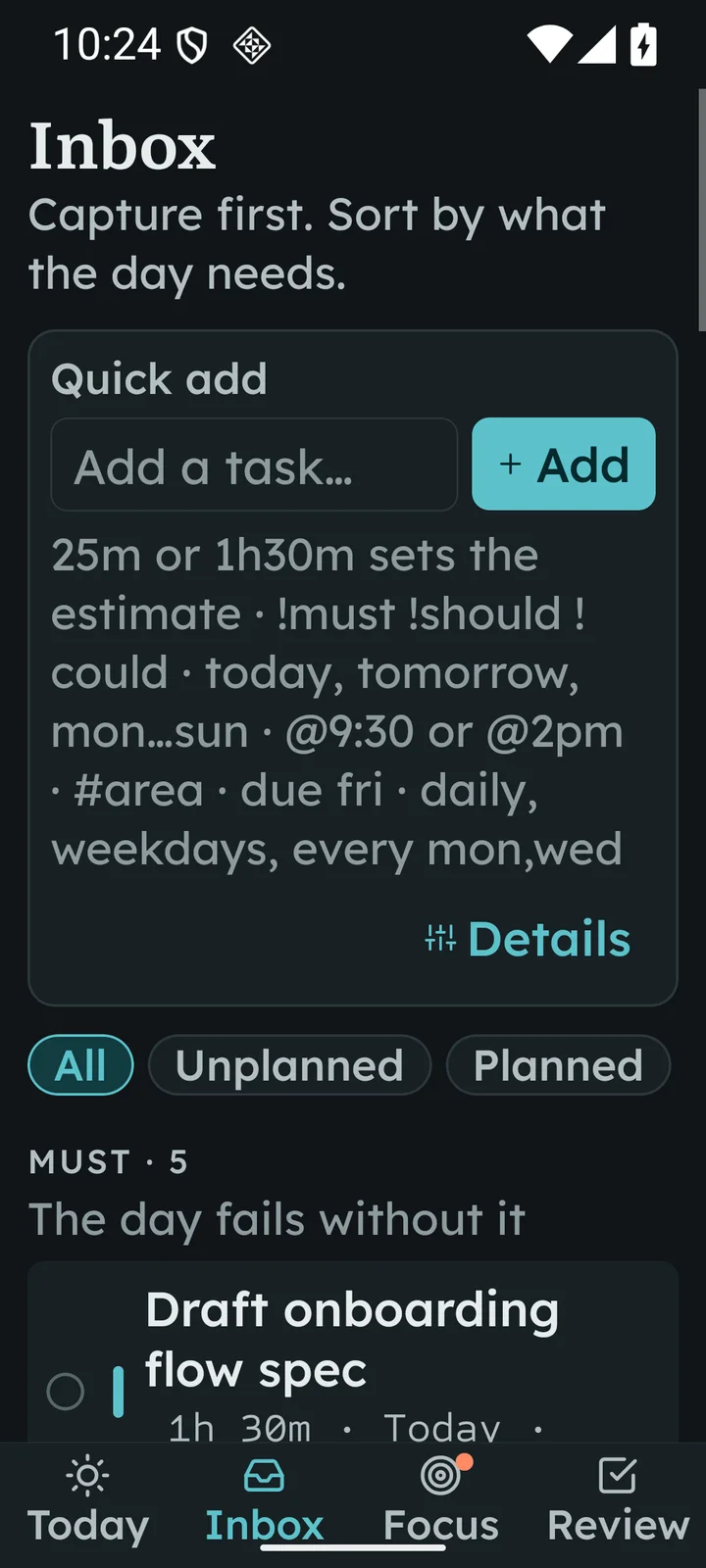
The quick-add parser reads estimates, priority, day, time, area, deadline and repetition from plain text and previews the result before saving. It is a local rule set — no AI, no network.
Draft brief 45m !must tomorrow @9:30 #work
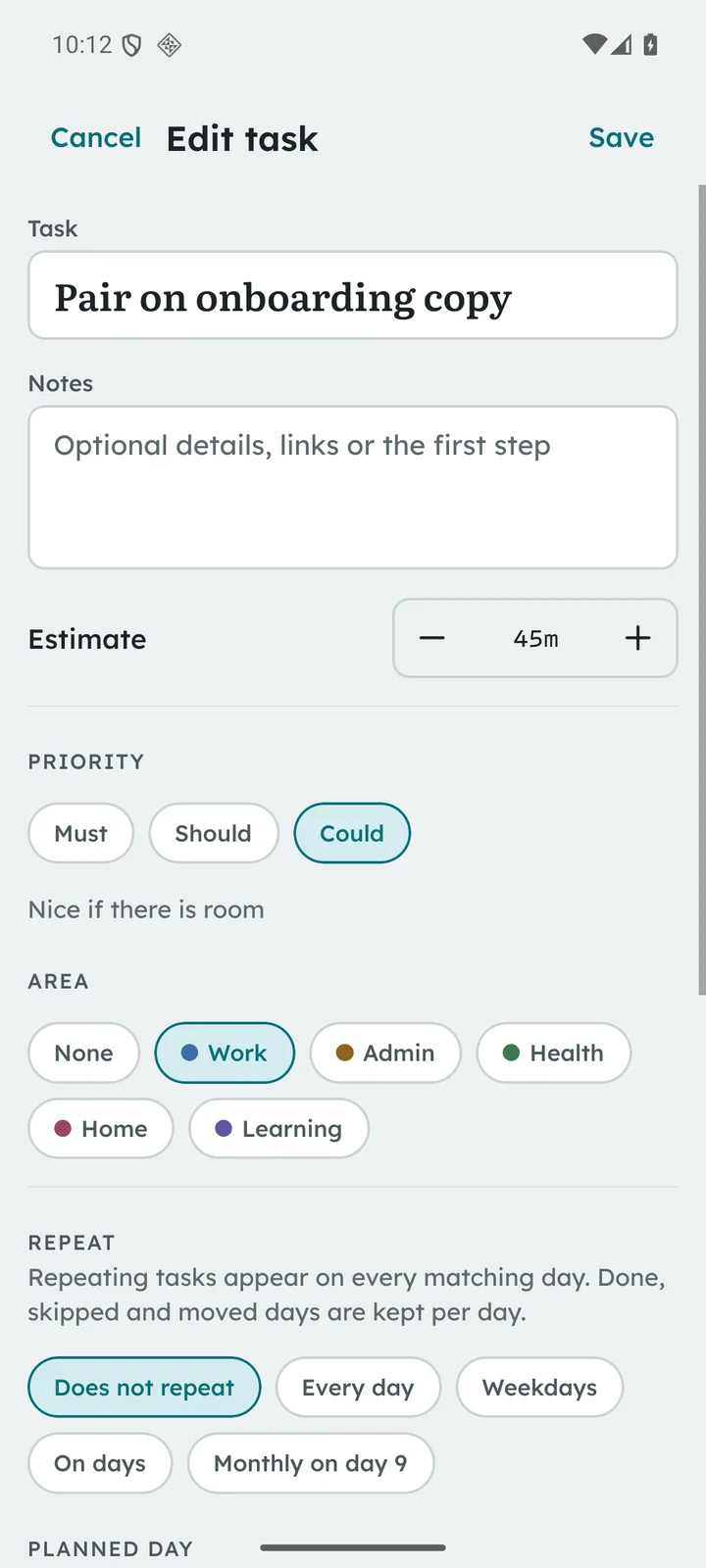
Must / Should / Could, shown by shape as well as colour
Separate planned day, time block and deadline
Every day, every N days, weekdays, chosen weekdays, monthly
Inbox · iOS
02 Arrange the day
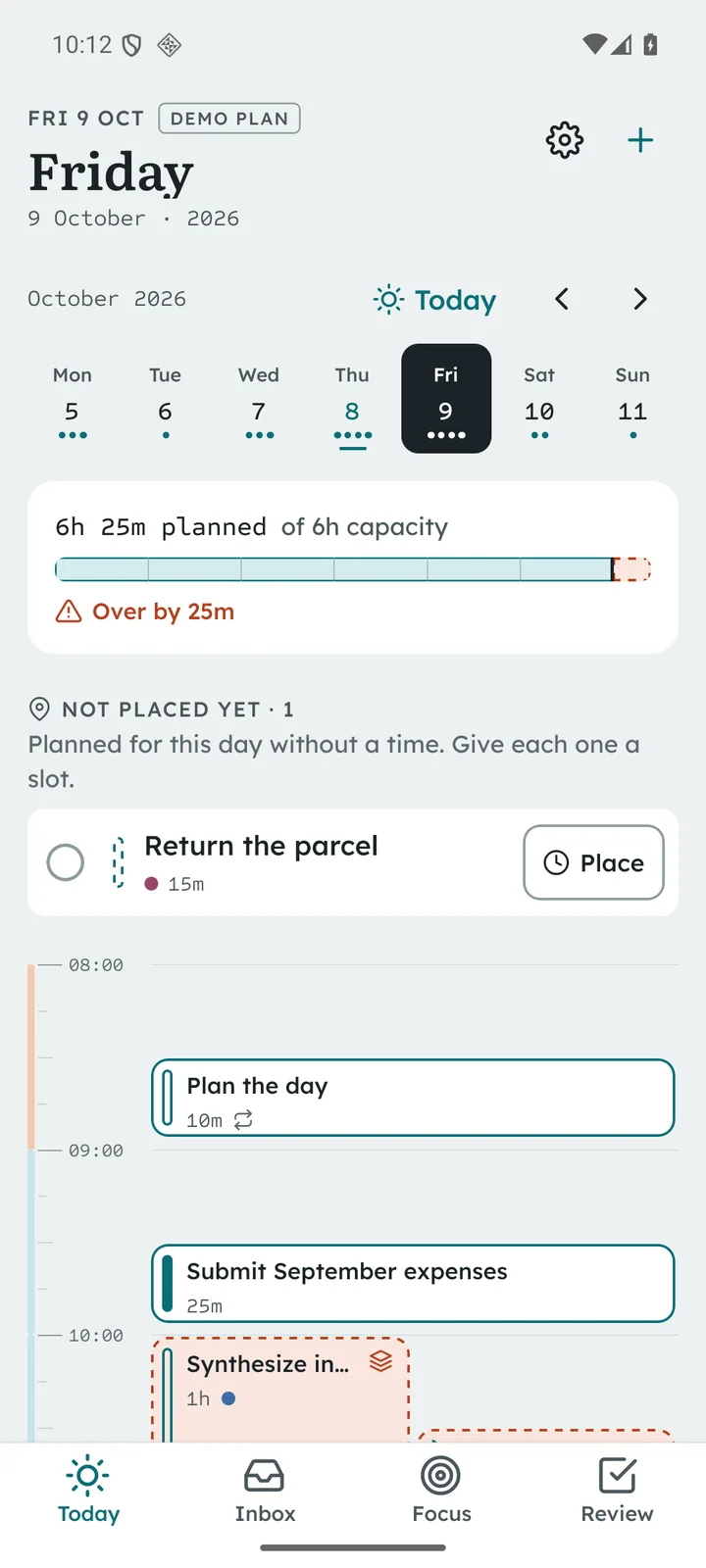
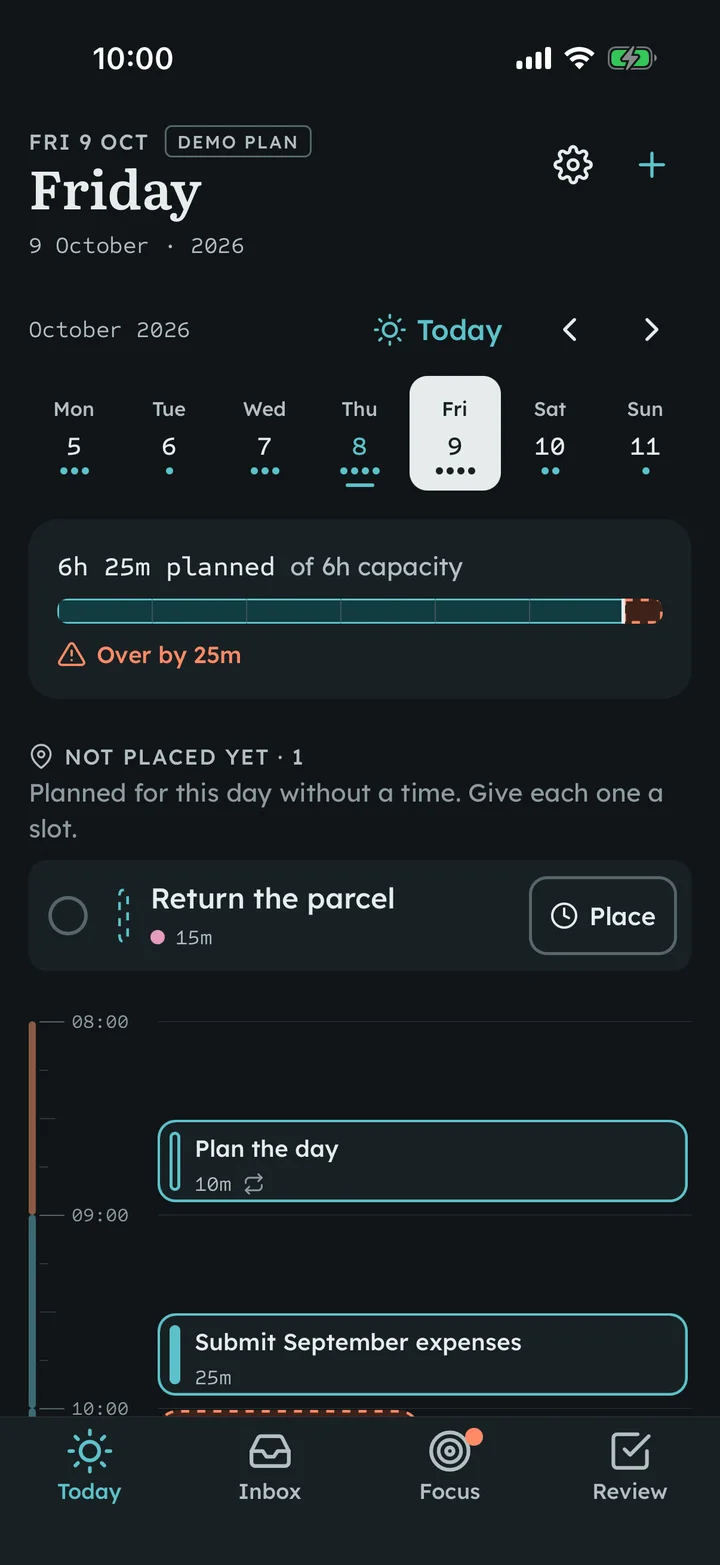
A time ruler that tells the truth about the plan
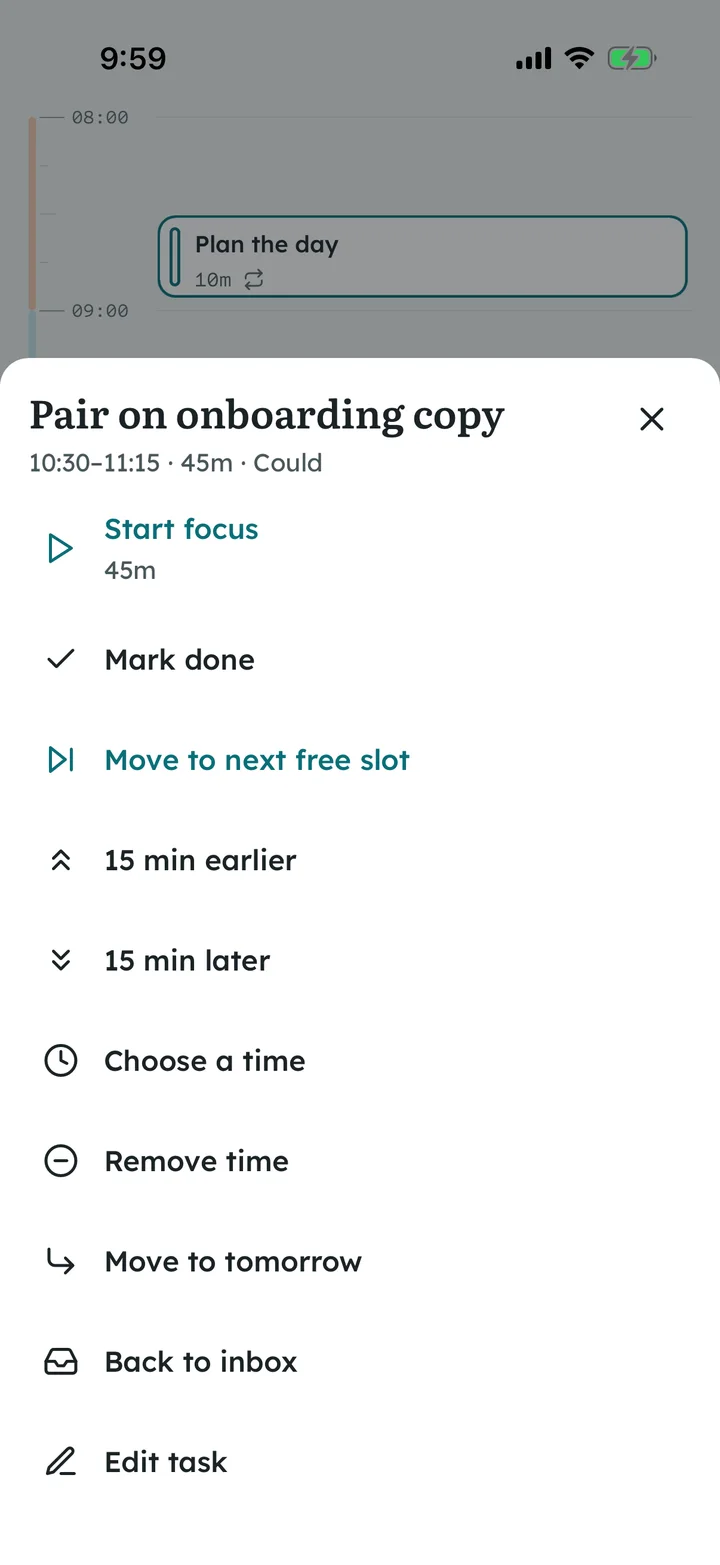
Blocks are sized by duration on a ruler with quarter-hour ticks, a daylight band and a now line. Overlaps sit side by side and are named; work that ran past is marked. One tap moves a block to the next free slot, 15 minutes either way, tomorrow or back to the inbox.
Capacity ruler: planned work against your daily focus capacity
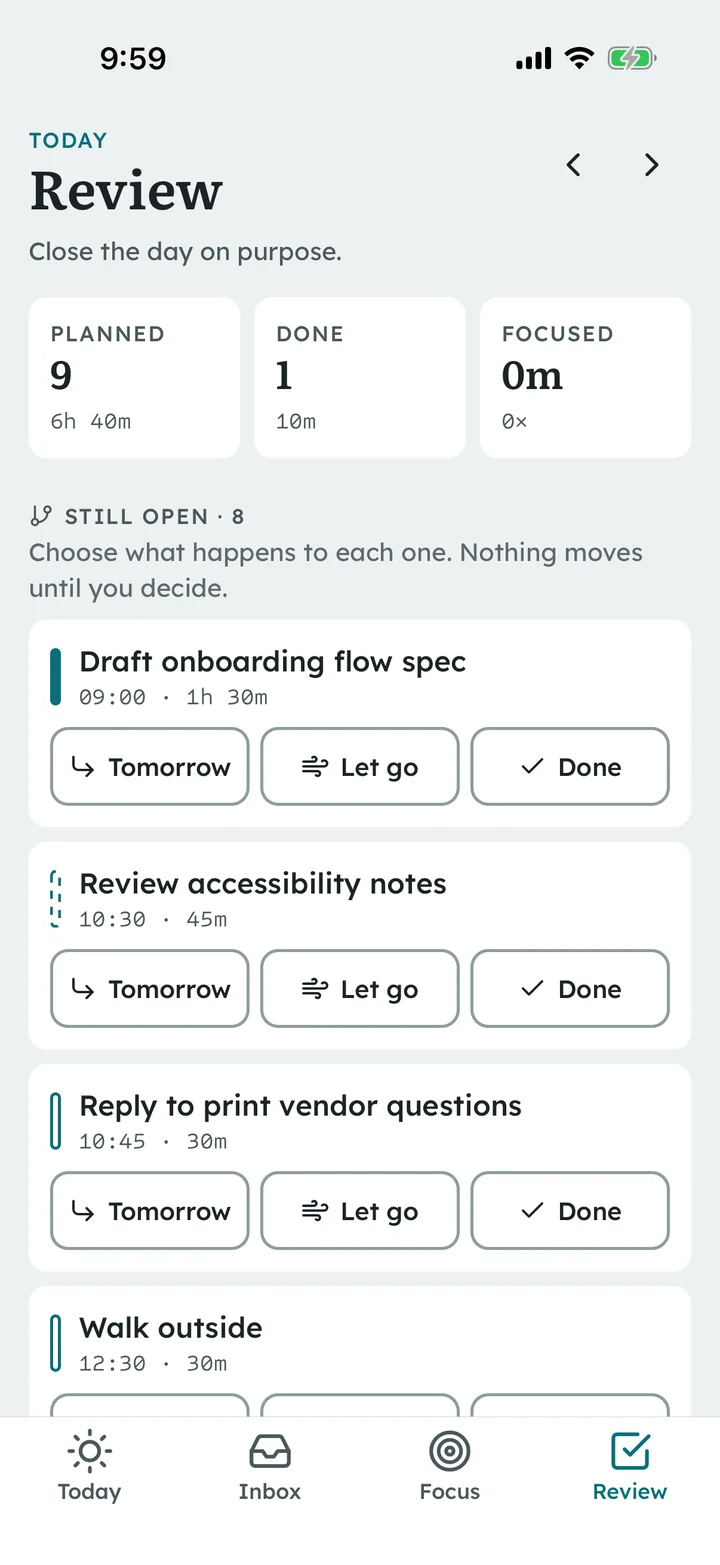
Unfinished work from earlier days waits for a decision — nothing moves silently
Every action is a plain tap with a spoken label — no drag-only moves
Day ruler · AndroidBlock actions · iOS
03 Focus and review
Sessions that keep time, days that close on purpose
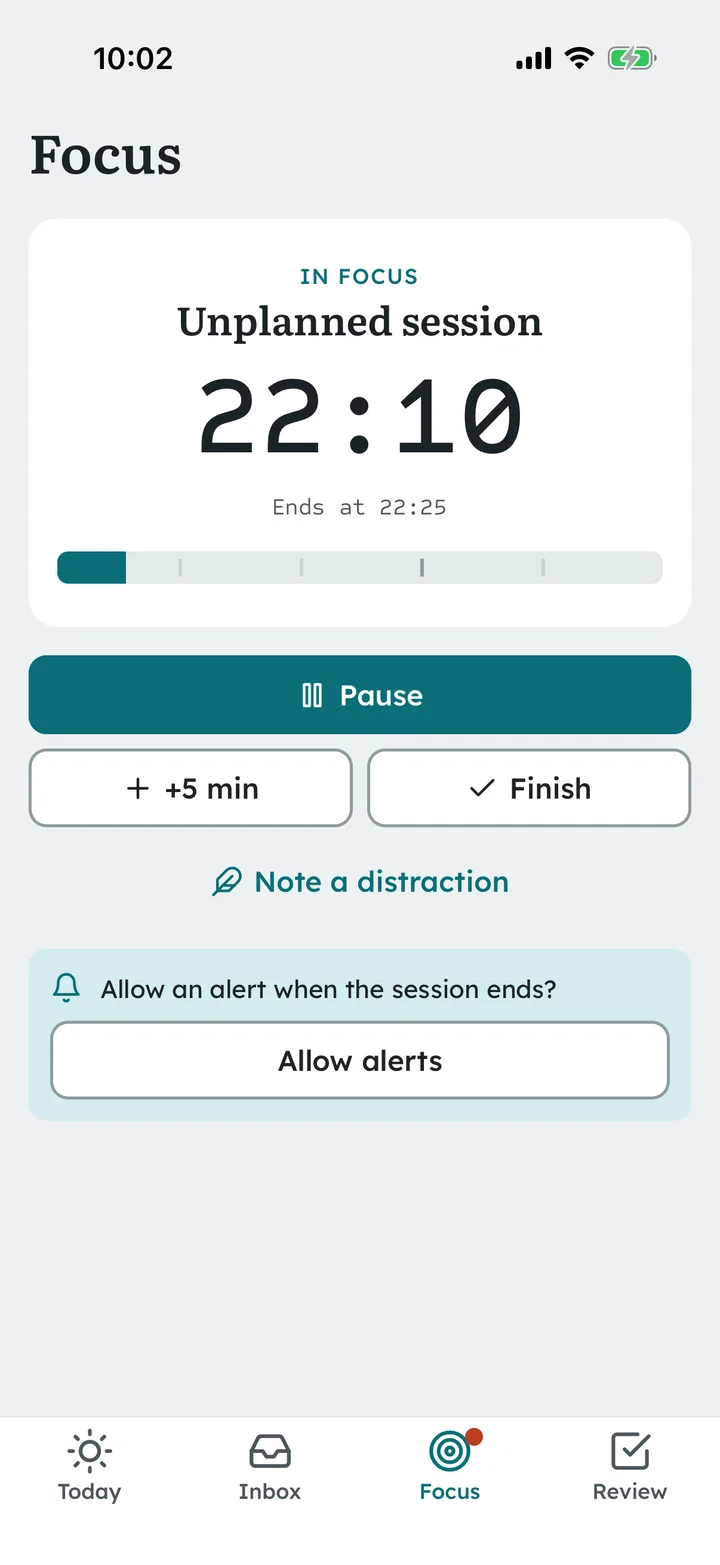
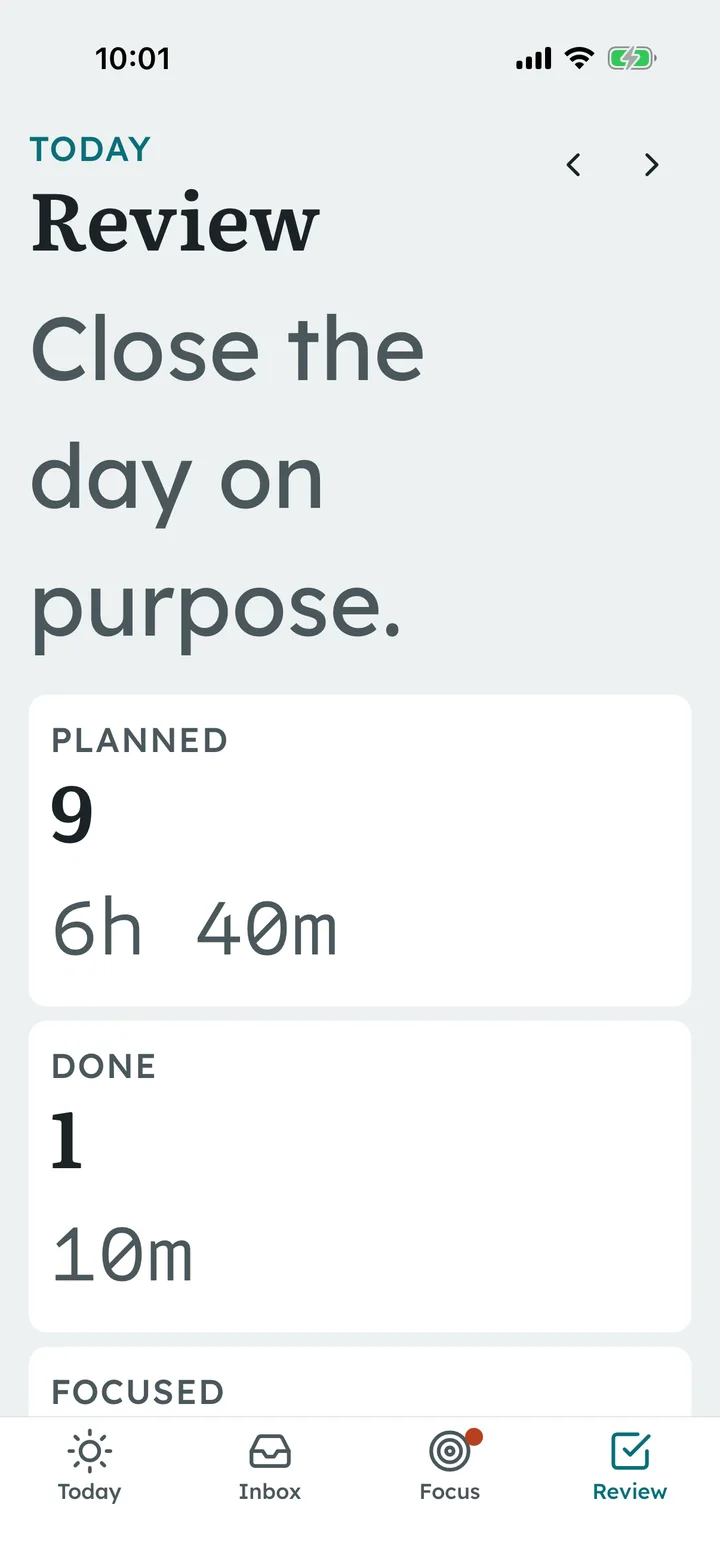
A focus session stores when it started and how long it was paused, so the remaining time is right after the app is backgrounded or killed. With permission, a local notification marks the end; when time is up you choose: done, 15 more minutes, or stop. The review asks for one line and a decision on every unfinished item.
Pause, +5 minutes and a distraction counter
Denied notification permission is explained, and the timer still works
Planned-versus-done week chart
After a force-quit · iOSReview · iOS
Built for the device
Dark mode, the largest text and real back behaviour
The ruler stretches with the system text size, both themes come from one config, sheets close with Android back, and Reduce Motion removes animation without hiding anything.
Dark · iOSLargest text · iOSFont 200% · AndroidTask editor · Android
Native verification
What was run, and what was not
Builds were made from the extracted buyer package after npm ci. A browser can't prove a native app works, so this page reports device results separately.
Target
What ran
Result
JavaScript
TypeScript check, ESLint, 59 Jest tests (dates and DST, recurrence, plan and conflicts, timer recovery, storage, the three journeys, large-text layout policies, icons hidden from screen readers), expo-doctor 21/21
Passed
iOS Simulator
Release build (Xcode 27.0, iPhone 17 · iOS 26.5) from the delivered ZIP; 5/5 Maestro device flows; Reduce Motion; dark mode, largest accessibility text and force-quit restore
Passed
Android Emulator
Release APK (arm64, Pixel 7 profile · Android 16 / API 36) from the delivered ZIP; 5/5 Maestro device flows; 200% font regression; animations removed; dark mode and force-stop restore
Passed
Rebrand trial
Renamed copy (new name, IDs, colours, font, icons, one record): verify, native project generation, iOS Release build and launch; zero old-name traces in app code and native projects
Passed
Galaxy A24 (Android 16)
Release APK from the delivered ZIP, fresh install: 5/5 Maestro flows in one run, 200% font, animations removed, ruler scrolling
Passed
iPhone 14 Plus (iOS 26.6)
Signed Release build from the delivered ZIP, fresh install: first run, capture and restart, overlap fix, focus across background and a full restart, review and deep links; Apple's accessibility audit on seven screens
Passed
VoiceOver and TalkBack
Both screen readers on the phones: headings, buttons, tabs, the block action sheet and quick add read with their labels; two issues found on the A24 (icon characters, Turkish capitals) were fixed and re-checked
Passed
Performance on hardware
iPhone cold launch to first frame about 0.19 s (Instruments); Galaxy A24 ruler scrolling 0.03 % janky frames, cold start about 1 s
Passed
Your own build, signing and devices are what you ship, so run the included Maestro flows and a screen reader on your target phones before release. On Android the device flows ran with notification permission granted by the test runner; the denied state is covered by the tests and shown in the app.
START-HERE, source map, native builds and signing, rebranding, data, integrations
Publishing to the App Store or Google Play needs your own Apple Developer Program and Google Play developer accounts. No store listing, TestFlight or APK download is provided here.